
Photo editing has come a long way — and in 2025, AI-powered photo editors are revolutionizing how creators, photographers, and marketers enhance images. Whether you’re a beginner who wants automatic edits or a pro looking to save time, these AI tools can handle everything from background removal to object replacement with just one click.
Here’s your updated list of the top AI photo editors in 2025 that are making waves globally.
🧠 1. Luminar Neo
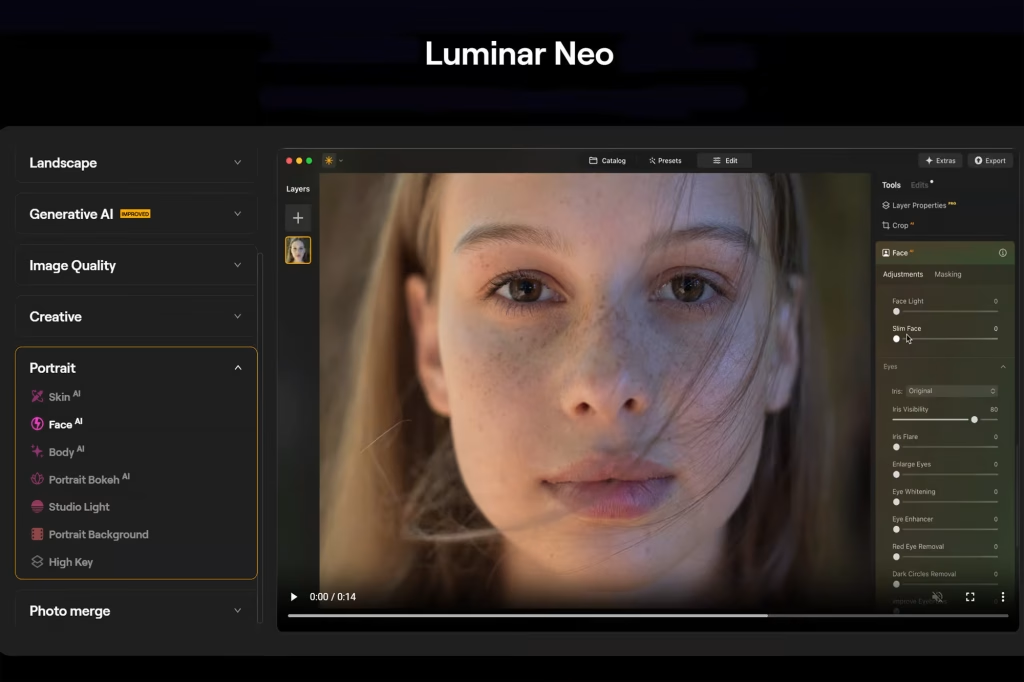
Best For: Professional photographers and advanced editors
Luminar Neo continues to dominate as one of the most powerful AI photo editors. Its AI-driven tools like Sky AI, Enhance AI, and Relight AI make even complex edits effortless.
Key Features:
- One-click sky replacement
- Background removal with edge precision
- Portrait enhancement (skin tone, eyes, hair)
- Works as a standalone app or plugin for Photoshop
Pros:
✅ Professional results
✅ Fast AI adjustments
✅ Non-destructive workflow
Cons:
❌ Slightly expensive for beginners
Pricing: Starts at $14.95/month
🎨 2. Fotor AI Photo Editor
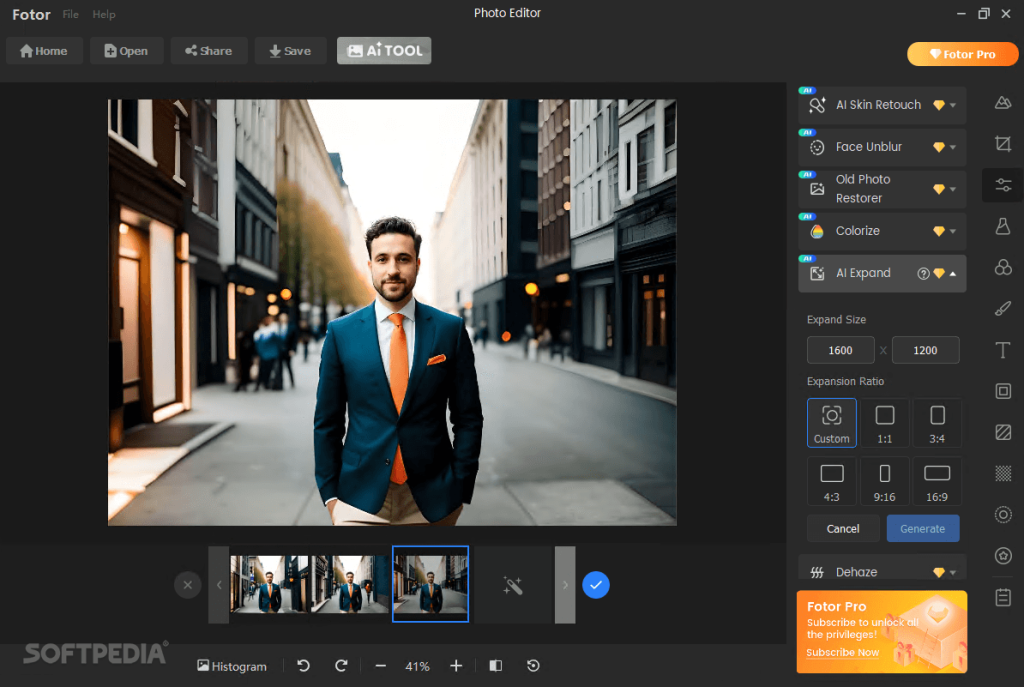
Best For: Quick edits and social media creators
Fotor’s AI tools are perfect for those who need speed without complexity. It automatically enhances images, fixes blemishes, and adjusts lighting intelligently.
Key Features:
- AI photo enhancer
- Background remover & object eraser
- AI portrait retouch
- Template-based editing for Instagram, YouTube, etc.
Pros:
✅ Easy to use
✅ Browser-based (no software needed)
✅ Great for social media graphics
Cons:
❌ Limited fine control for professionals
Pricing: Free version available; Pro from $8.99/month
⚡ 3. Adobe Firefly (in Photoshop 2025)
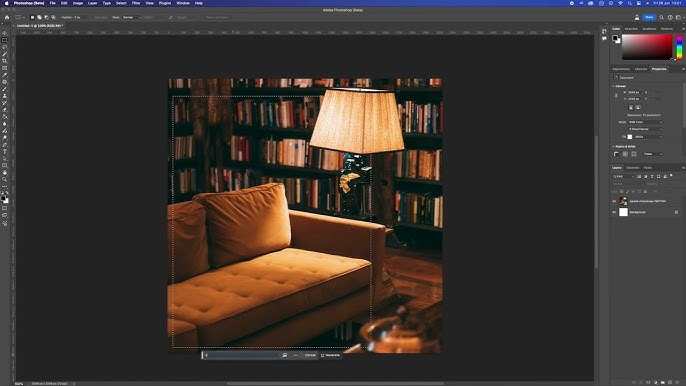
Best For: Designers and professionals using the Adobe ecosystem
Adobe Firefly, now deeply integrated into Photoshop 2025, allows you to generate and edit images using text prompts. Want to add a mountain or remove a background? Just type it in.
Key Features:
- Generative Fill with text commands
- AI-based object removal and replacement
- Smart color correction and scene enhancement
- Integration with Creative Cloud
Pros:
✅ Industry-standard tool
✅ Generative AI saves hours
✅ Works seamlessly across Adobe apps
Cons:
❌ Requires Creative Cloud subscription
Pricing: Starts at $20.99/month
📸 4. Canva AI Photo Editor
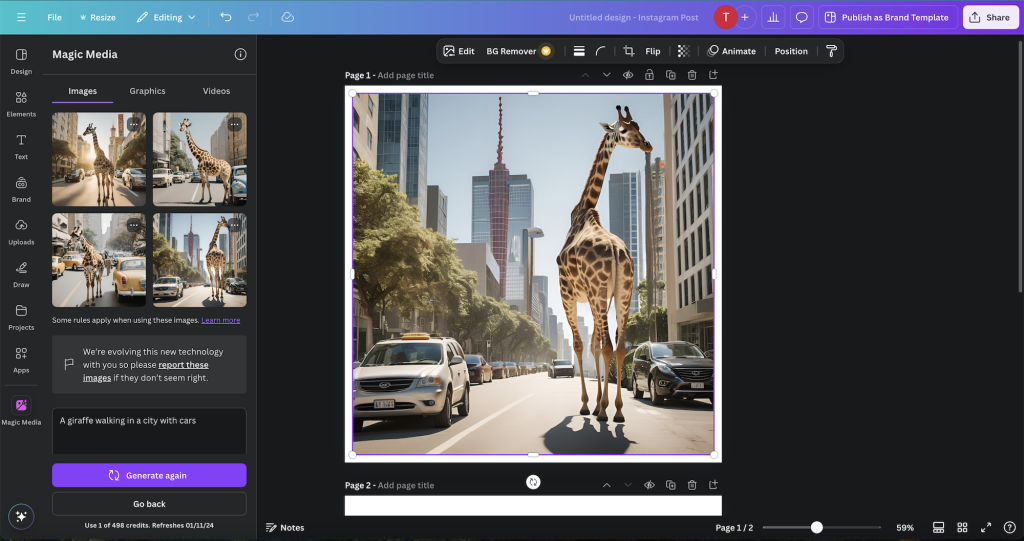
Best For: Content creators and marketers
Canva’s built-in AI photo editing tools are a game-changer for non-designers. You can remove backgrounds, enhance images, and even use Magic Edit to replace elements using prompts.
Key Features:
- Magic Edit (text-to-image editing)
- AI photo enhancer
- Smart resize for all platforms
- Free-to-use templates and design library
Pros:
✅ Beginner-friendly
✅ Great for branding and marketing visuals
✅ Cloud-based editing
Cons:
❌ Lacks advanced manual tools
Pricing: Free version; Pro from $12.99/month
🌈 5. Pixlr AI
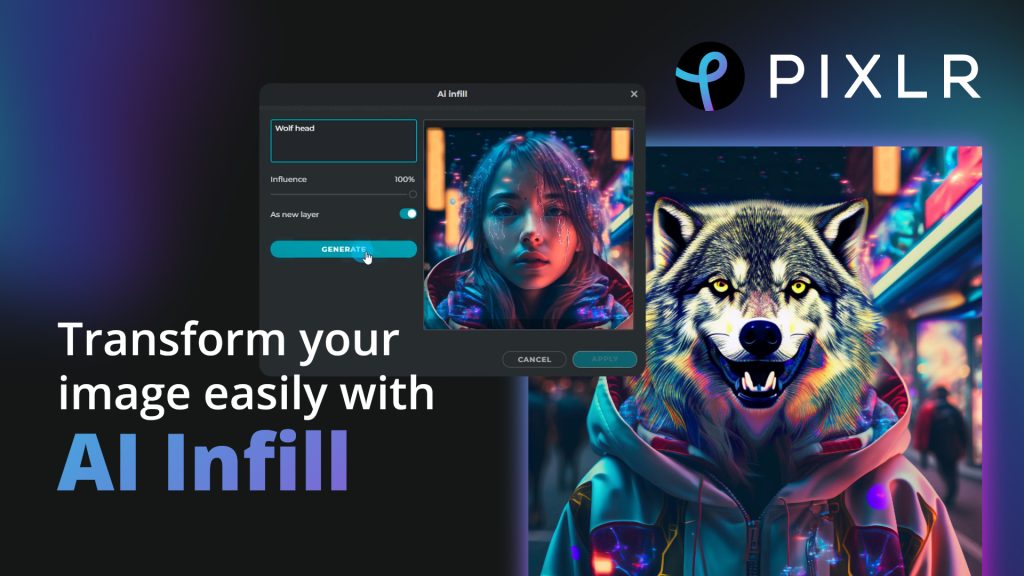
Best For: Fast web-based AI editing
Pixlr offers a full suite of AI editing tools — including AI Cutout, Auto Enhance, and AI Background Generator. It’s lightweight, fast, and runs smoothly in browsers or mobile devices.
Key Features:
- AI auto enhancement
- One-click background removal
- Filters and overlays
- AI-powered text and layout suggestions
Pros:
✅ Fast and free
✅ Great for quick edits
✅ Cloud-based, no downloads
Cons:
❌ Occasional ads in the free version
Pricing: Free version; Premium from $7.99/month
🏆 Final Thoughts
AI photo editors are no longer just a trend — they’re essential creative tools. Whether you’re a photographer, influencer, or designer, these platforms make photo editing faster, easier, and more intelligent than ever.
If you’re just getting started, try Fotor or Canva. But if you want professional-grade AI power, Luminar Neo and Adobe Firefly are unbeatable.
💬 FAQs About AI Photo Editors in 2025
Q1: What is an AI photo editor?
An AI photo editor uses artificial intelligence to automatically enhance or manipulate photos — adjusting lighting, removing backgrounds, or adding objects without manual work.
Q2: Are AI photo editors free?
Many AI editors like Pixlr and Fotor offer free versions with limited features. Paid plans unlock advanced tools like higher-resolution exports or AI-generated elements.
Q3: Which AI photo editor is best for beginners?
Canva and Fotor are ideal for beginners because of their simple interfaces and pre-set templates.
Q4: Can AI editors replace Photoshop?
Not completely — Photoshop still offers deep manual control, but AI tools like Firefly are making it more automated than ever.
Q5: What’s the best AI photo editor overall?
Luminar Neo stands out for professionals, while Canva AI is the best all-around option for everyday users.
READ ALSO:Top 10 Free AI Chrome Extensions in 2025 (You Need to Try Today!)

Leave a Reply